Exploit management
Upload, inspect, version, and delete exploit scripts from the CookieFarm dashboard.
Exploit Management
The dashboard includes an Exploits view at /exploits for managing exploit scripts uploaded to the server.
This page is focused on source management: upload scripts, inspect stored versions, copy code, and remove entries. Running and stopping exploits is still handled by the client CLI/TUI.
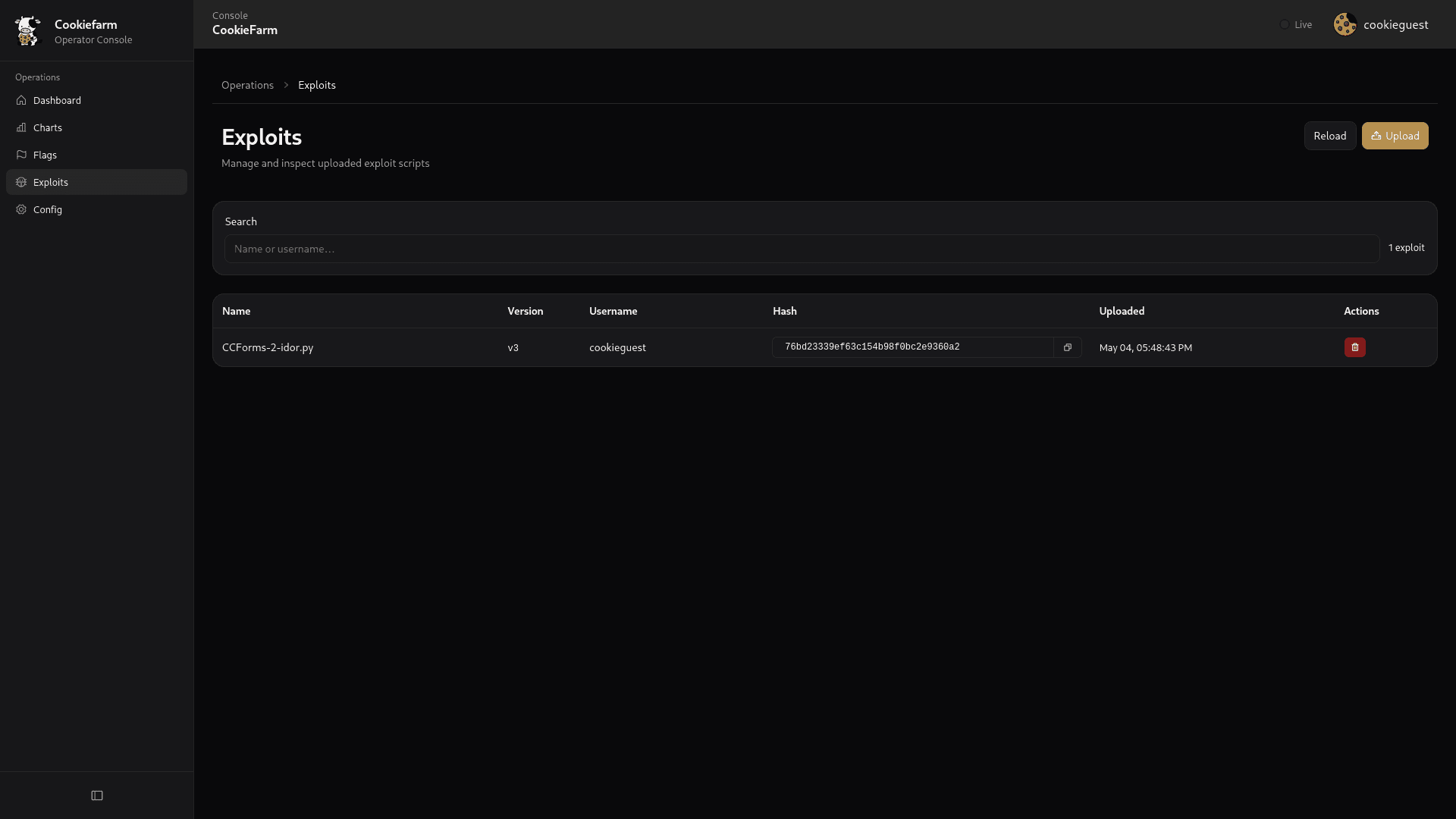
Main view
Open Exploits from the dashboard navigation.
The table shows the latest uploaded version for each exploit name. Older versions are still stored and can be opened from the view dialog.
The page refreshes automatically every 15 seconds and also provides a manual Reload button.
Upload an exploit
Click Upload and select or drag-and-drop a Python exploit script.
Upload behavior:
- accepted file type in the UI:
.py - maximum upload size: 10 MB
- authentication: dashboard cookie token
Search exploits
Use the search field to filter the table by:
- exploit name
- uploader username
Filtering is local to the currently loaded exploit list.
View exploit source
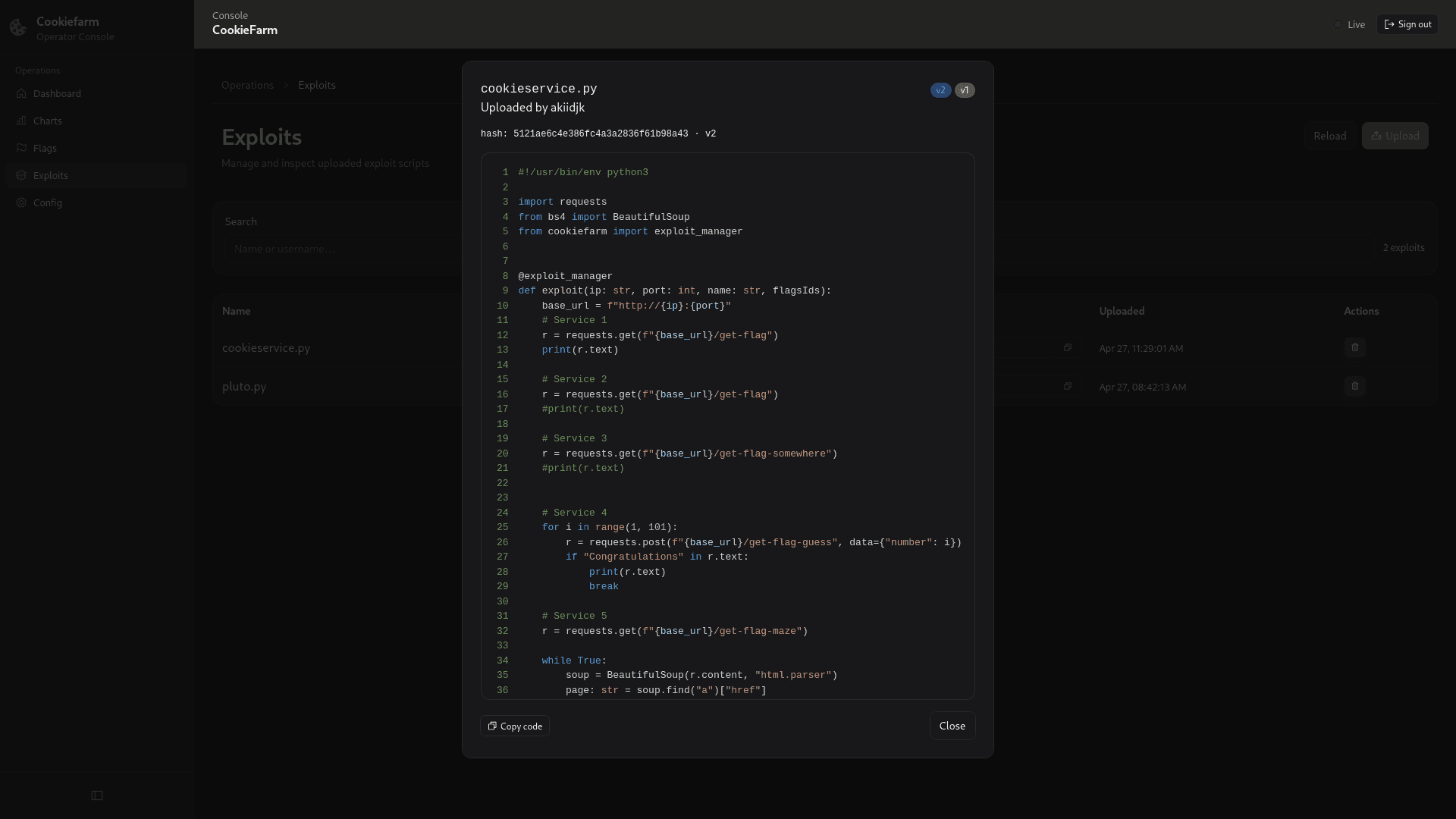
Click an exploit row to open the source viewer.
The viewer loads all stored versions for that exploit name and displays the selected version with Python syntax highlighting and line numbers.
When multiple versions exist, version badges appear in the dialog header. Select a badge to switch between versions.
Available actions:
- Copy code: copies the selected version's source to the clipboard.
- Close: closes the viewer.
API endpoint used by the viewer:
GET /api/v1/exploit/{name}The response contains one or more exploit records with a content field.
Delete an exploit
Click the trash action for a row and confirm the dialog.
Delete behavior:
- API endpoint:
DELETE /api/v1/exploit/{id} - deletion is by database ID, not by name or hash.
- the dashboard refreshes the exploit list after a successful delete.
Deleting one version does not automatically delete every version with the same exploit name. Each stored version has its own ID.
API summary
| Action | Endpoint | Notes |
|---|---|---|
| List exploits | GET /api/v1/exploits | Returns all stored exploit metadata ordered by latest upload first. |
| View by name | GET /api/v1/exploit/{name} | Returns all versions for a name, including source content. |
| Upload | POST /api/v1/exploit/upload | Multipart upload using the file field. |
| Delete | DELETE /api/v1/exploit/{id} | Removes one exploit record by ID. |
Current limitations
- The dashboard manages uploaded source files only; it does not start, stop, or schedule exploit execution.
- The table intentionally displays only the newest version per exploit name.
- Duplicate content is rejected by hash, even if the filename is different.
How is this guide?